
Completely dead 8 TB hard drive
“Immaculately recovered my completely dead 8-terabyte disk drive.”
Clicking, dead and undetected drives
Hard drive recovery for drives that click, beep, vanish from your computer or stopped working after a fall. We image the drive before any recovery work, give you a fixed quote first, and if we can’t get your data back, you don’t pay.
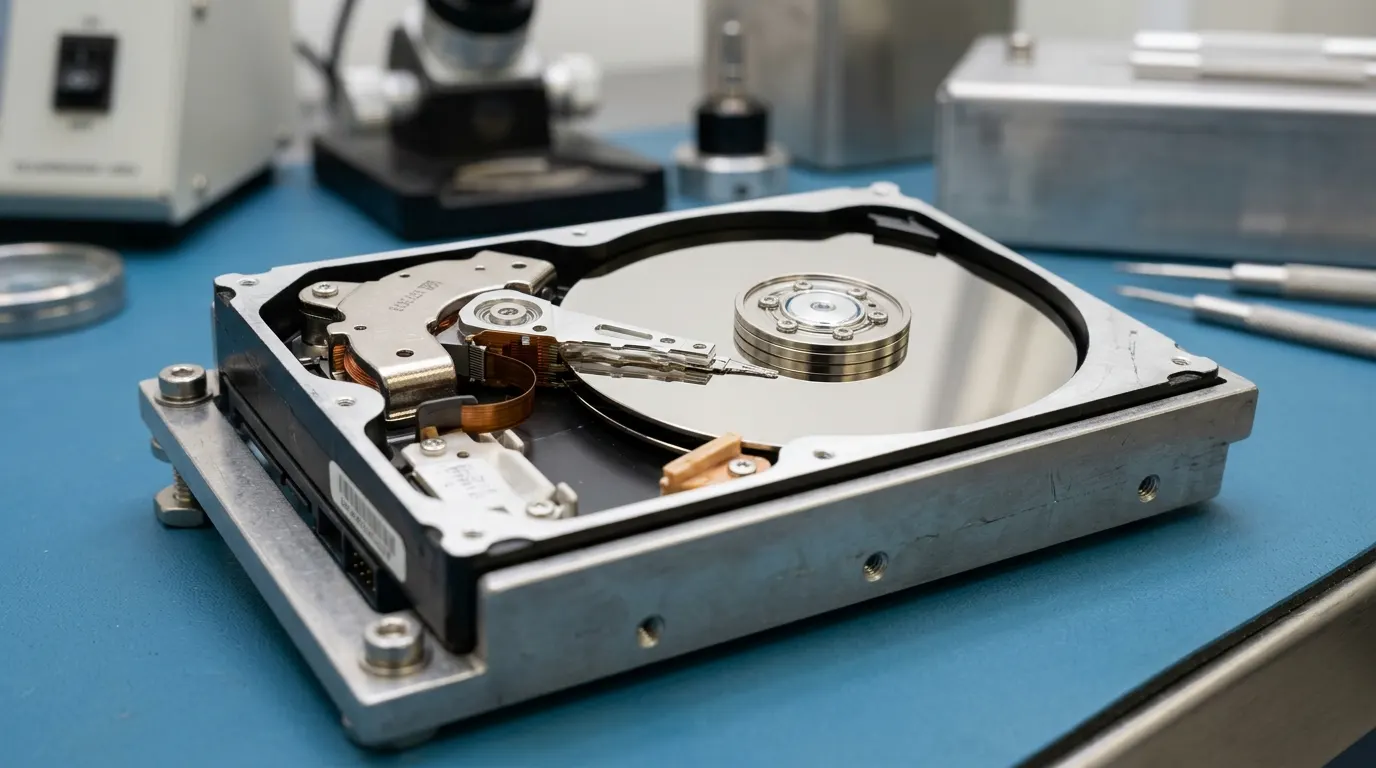
Most failed drives fall into a few patterns. The symptom tells us where to start. It also tells you what to stop doing.
What you do in the first hour matters more than anything we do later. A clicking hard drive damages itself every time it spins. Recovery software doesn’t fix that. It makes the drive read every sector, which is the hardest work you can ask of a failing head.
If the files are urgent, call our 24/7 emergency line at (410) 937-7332 before you try anything else.
Our hard drive data recovery services follow the same order on every job, whether it’s a deleted folder or a drive with failed heads. We work from a copy, not from the original.
All recovery work happens at our ISO 9001 certified lab in Columbia, MD. We’ve been recovering data since 1991, with 15,000+ cases recovered and a 95% success rate.
We recover desktop, laptop, external and enterprise hard drives. External hard drive recovery needs extra care. A USB drive is often the only copy of someone’s photos or business files, and some models have the USB port built into the drive’s own board. Don’t pry the case open to pull the drive out.
If the drive came out of a NAS or RAID, bring every disk from the set, not only the one that failed.
Evaluation is free. Once we’ve looked at the drive, you get a fixed quote before any paid work starts. No data, no charge.
We don’t publish a price list. A deleted folder on a healthy drive and a dropped drive with damaged heads are different jobs, and the quote reflects the actual failure.
Physical jobs, like head replacement or a drive that won’t spin, usually take 3–7 days. Logical jobs, like a formatted drive or deleted partitions, usually take 24–48 hours. Form enquiries get a reply within one business day.
Looking for hard drive recovery near you in Maryland, Virginia or DC? Walk in at our Columbia lab, 10015 Old Columbia Rd, Suite B 215, Columbia, MD 21046, Monday to Friday, 8:30 a.m. to 5:00 p.m. You can also book an appointment at our Tysons, VA office, 8300 Boone Blvd, Suite 513. You can also ship the drive to us free both ways. Pickup is available too, call for details.
“Immaculately recovered my completely dead 8-terabyte disk drive.”
A 15-year-old external drive was not powering on.
“It had ALL my family photos stored on it.”
All of them were retrieved.
Example scenario based on the kinds of failures we see. Not an individual client result.
A portable drive falls off a desk. Plugged back in, it clicks, spins down and never appears. Running Disk Utility First Aid makes the clicking worse.
How we handle it: A drop usually damages the read/write heads. In the clean room we open the drive, check the platters, replace the head assembly with a matched donor, and image the data with a hardware imager. For drives with built-in USB encryption, that includes reading through the drive’s own board.
Lesson: If a dropped drive clicks, unplug it immediately. Every second it spins with damaged heads can scrape data off the platters.
Often, yes, as long as the platters still have readable areas. A clicking drive usually has a head or motor fault, which we deal with in our clean room before imaging the platters. Power it down now, because every extra spin can cause more damage.
No. If the drive clicks, beeps or keeps disconnecting, each power-on can scratch the platters and turn a recoverable job into a harder one. Unplug it and leave it off until we’ve looked at it.
Evaluation is free, and you get a fixed quote before any paid work starts. If we can’t recover the data you need, you don’t pay the recovery fee: no data, no charge.
No. You can ship it to us and back for free or bring it in. Pickup is also available, call for details.
All recovery work happens at our Columbia, MD lab (walk-in Mon–Fri, 8:30 a.m.–5:00 p.m.). Our Tysons, VA office sees clients by appointment. Ship your drive to us free both ways. Pickup is also available, call for details. 24/7 emergency line: (410) 937-7332.
Related: SSD & NVMe recovery · RAID recovery · NAS recovery · What affects the cost
Tell us what failed. We reply within one business day, and you get a fixed quote before any paid work. No data, no charge.