PROFESSIONAL DATA RECOVERY

NAS data recovery for Synology, QNAP and TrueNAS

Synology, QNAP, Asustor, TrueNAS

Volume crashed, rebuild failed, or the NAS won’t boot after an update? We clone every disk and rebuild the volume from the copies, never on your originals. Free evaluation, and a 24/7 emergency line at (410) 937-7332.

✓95% Success Rate
✓No Data, No Charge
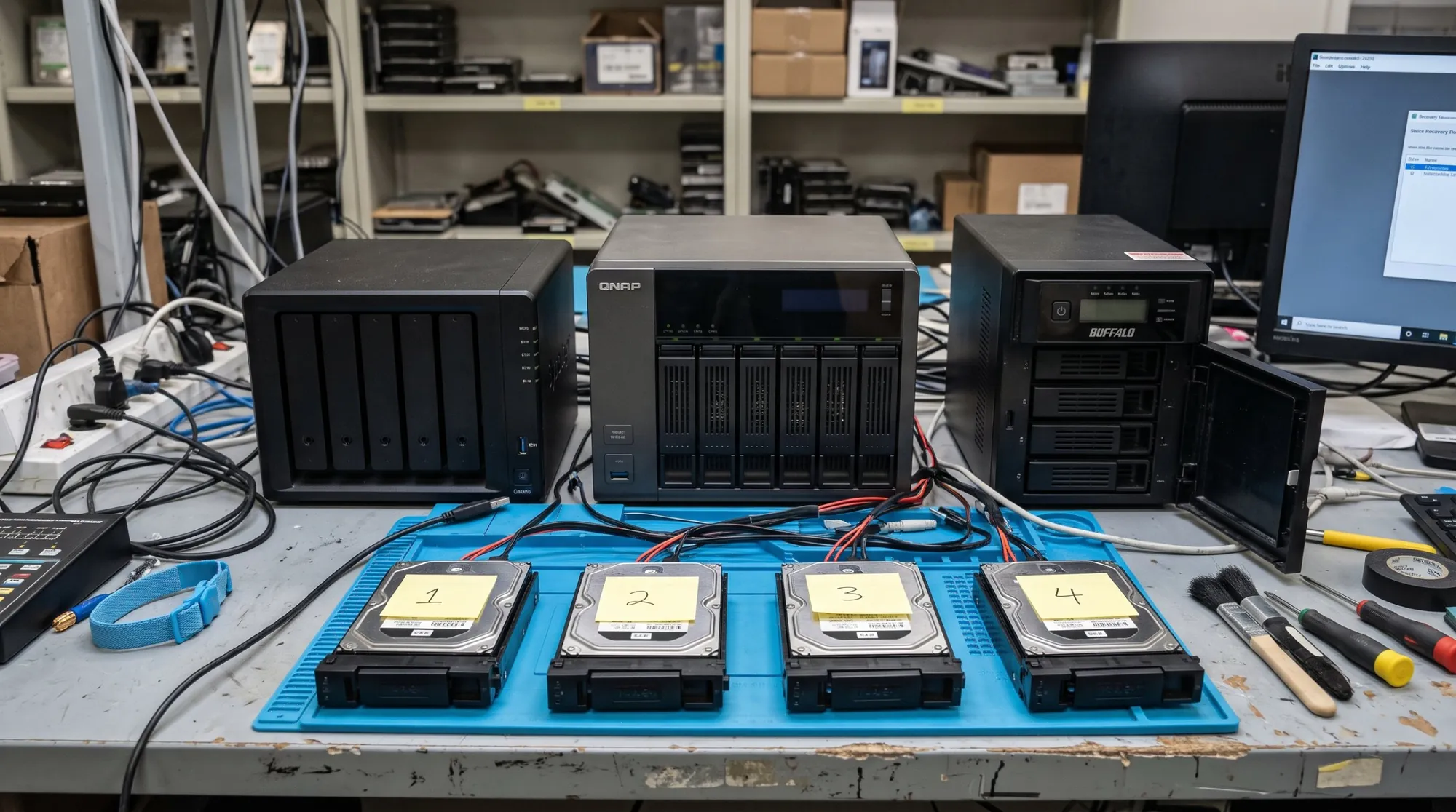
Synology, QNAP and Buffalo NAS units on the bench with their drives labelled by slot

Common NAS failures we see

Most Synology data recovery and QNAP data recovery jobs start the same way. The NAS reports a problem, and someone tries to fix it from the admin page. Asustor and TrueNAS units fail the same way. These are the cases we see most:

  • Degraded or crashed volume. “Degraded” means a disk dropped out and the volume is running without redundancy. “Crashed” usually means more than one member has problems or the volume metadata is damaged. Either way, the data is still on the disks until something writes over it.
  • Failed rebuild after a disk swap. One disk fails, you insert a new one, and the rebuild stops partway or a second disk drops out. A rebuild is the heaviest read the remaining disks will ever do. If one of them was already weak, that is when it gives up.
  • SHR. Synology Hybrid RAID lets you mix disk sizes by building several RAID sets across partitions and joining them into one volume. When it breaks, there are several layers to put back, and every one has to line up.
  • A firmware update gone wrong. A DSM or QTS update stalls, the unit stops booting, or the volume shows as missing afterward. The data partitions are usually still intact. Reinstalling the operating system or resetting the unit is not the fix.
  • Ransomware. Shares get encrypted over the network, and sometimes snapshots are deleted too. What can be recovered depends on what the attack left on the disks.

Before you call: what to do and what not to do

Most of the damage we see on NAS units happens after the first fault, during well-meant repair attempts. The steps below keep your options open.

  • Power the NAS down. Use the admin page if it still responds. Don’t keep rebooting it hoping the volume mounts.
  • Label every disk with its slot number before you pull anything: bay 1, bay 2, and so on. A photo of the bays helps too.
  • Don’t click Repair, Initialize or Create Volume. Initializing writes new metadata over the old.
  • Don’t swap bays or reorder the disks to see if that helps.
  • Don’t put the disks in a new NAS. A new enclosure may see a foreign set and offer to initialize it.
  • Don’t start another rebuild, and don’t run chkdsk, fsck or recovery software on any member.
  • Write down what happened and in what order: which disk failed first, whether a rebuild started, and what the NAS showed.

What to bring

Bring every disk from the NAS, including the ones that still look healthy. Parity and stripe order are spread across the whole set, so the failed disk alone is not enough. Bring the enclosure too if you can. It helps us confirm the model, firmware and layout.

Here is what to have ready:

  • All disks, labeled by slot
  • The NAS enclosure, if possible
  • The volume password if the volume was encrypted. We can reconstruct an encrypted volume, but we can’t unlock it without your key.
  • A short note: NAS model, RAID or SHR type if you know it, number of disks, which one failed, and whether a rebuild started
  • The folders that matter most, so we check those first

All recovery work happens at our head office and lab, 10015 Old Columbia Rd, Suite B 215, Columbia, MD 21046. Walk in Monday to Friday, 8:30 a.m. to 5:00 p.m. Our Tysons, VA office at 8300 Boone Blvd, Suite 513 is by appointment. You can also ship the disks to us free both ways. Pickup is available too; call or use the form for details. On-site diagnostics are also available, call for details.

How NAS data recovery works at DiskDoctor

NAS recovery is a read job, not a repair job. We never rebuild on your original disks. Every step after cloning happens on copies.

  • Free evaluation. We identify each disk, check its condition and tell you what the job involves. You get a fixed quote before any paid work.
  • Clone every member. Each disk is imaged with hardware that retries gently, including disks the NAS marked failed. A clicking disk still holds blocks the others don’t have. Disks that need physical work are handled in our clean room.
  • Reconstruct the volume from the clones. We work out disk order, stripe size and parity, then rebuild the RAID or SHR layers in software, followed by the filesystem on top: Btrfs or ext4 on Synology and QNAP, ZFS on TrueNAS.
  • Recover the files. We check the folders you named on the assembled volume and copy them off.
  • Verified delivery on new media. You get your files on new media, checked against the list you gave us.

RAID and NAS jobs usually take 3–7 days after all disks arrive.

Evaluation is free. You get a fixed quote before any paid work. No data, no charge: if we can’t recover the files you need, you don’t pay a recovery fee. DiskDoctor has been recovering data since 1991, with more than 15,000 cases recovered, a 95% success rate and an ISO 9001 certified lab.

What affects the cost →

NAS failures we handle

Example scenario based on the kinds of failures we see. Not an individual client result.

Synology RAID 5: the rebuild that took the volume down

A 4-bay Synology NAS in RAID 5 starts beeping: one disk has failed and a second is reporting bad sectors. Someone swaps the failed disk and starts a rebuild. The heavy read load pushes the weak second disk over the edge mid-rebuild, and the whole volume crashes.

How we handle it: We take all four disks out, image each one sector by sector with hardware imagers (working around the damaged areas of the weak disk), rebuild the RAID 5 stripe order virtually from the images, then repair the Btrfs file system. The original disks are never written to.

Lesson: Never force a rebuild while a second disk is showing errors. Power down and call.
RAID recovery → · NAS recovery →

Example scenario based on the kinds of failures we see. Not an individual client result.

QNAP RAID 6 after a power surge

After a power outage and surge, an 8-bay RAID 6 NAS won’t mount. Two disks are dead and a third is clicking, which is one failure more than RAID 6 can survive. Moving the disks into a spare enclosure brings up an “initialise” warning.

How we handle it: We diagnose each disk. Surge-damaged circuit boards get a donor board with the drive’s own firmware chip transferred over. A clicking disk gets a head replacement in the clean room. Then we image all eight disks and rebuild the RAID 6 array virtually.

Lesson: Never move NAS disks to another enclosure after a power event. An “initialise” prompt can overwrite the array’s metadata.

RAID recovery → · NAS recovery →

Frequently asked questions

My Synology says the volume crashed. What should I do?

Power the NAS down and don’t click Repair or start a rebuild. Label the disks by slot, then call or use the form. A crashed volume often still has its data on the disks, and repair attempts are what put it at risk.

Can you recover data after a failed rebuild?

Often, yes. Stop the rebuild if it is still running, power down and send every disk, including the new one that was being written. We clone whatever is left and reconstruct the volume from the clones.

Do I need to send the whole NAS or just the disks?

Send all of the disks, labeled by slot; those are essential. Send the enclosure too if you can, because it helps us confirm the model and layout.

Can you recover files from a NAS hit by ransomware?

It depends on what the attack left behind. Sometimes snapshots, older file versions or deleted originals are still on the disks; sometimes only encrypted copies remain. We can’t decrypt files without the key, and the free evaluation tells you what is actually there.

How long does NAS recovery take?

Usually 3–7 days after all disks arrive at the Columbia lab. If it’s urgent, call our 24/7 emergency line at (410) 937-7332.

Where the work is done

All recovery work happens at our Columbia, MD lab (walk-in Mon–Fri, 8:30 a.m.–5:00 p.m.). Our Tysons, VA office sees clients by appointment. Ship your drive to us free both ways. Pickup is also available, call for details. 24/7 emergency line: (410) 937-7332.

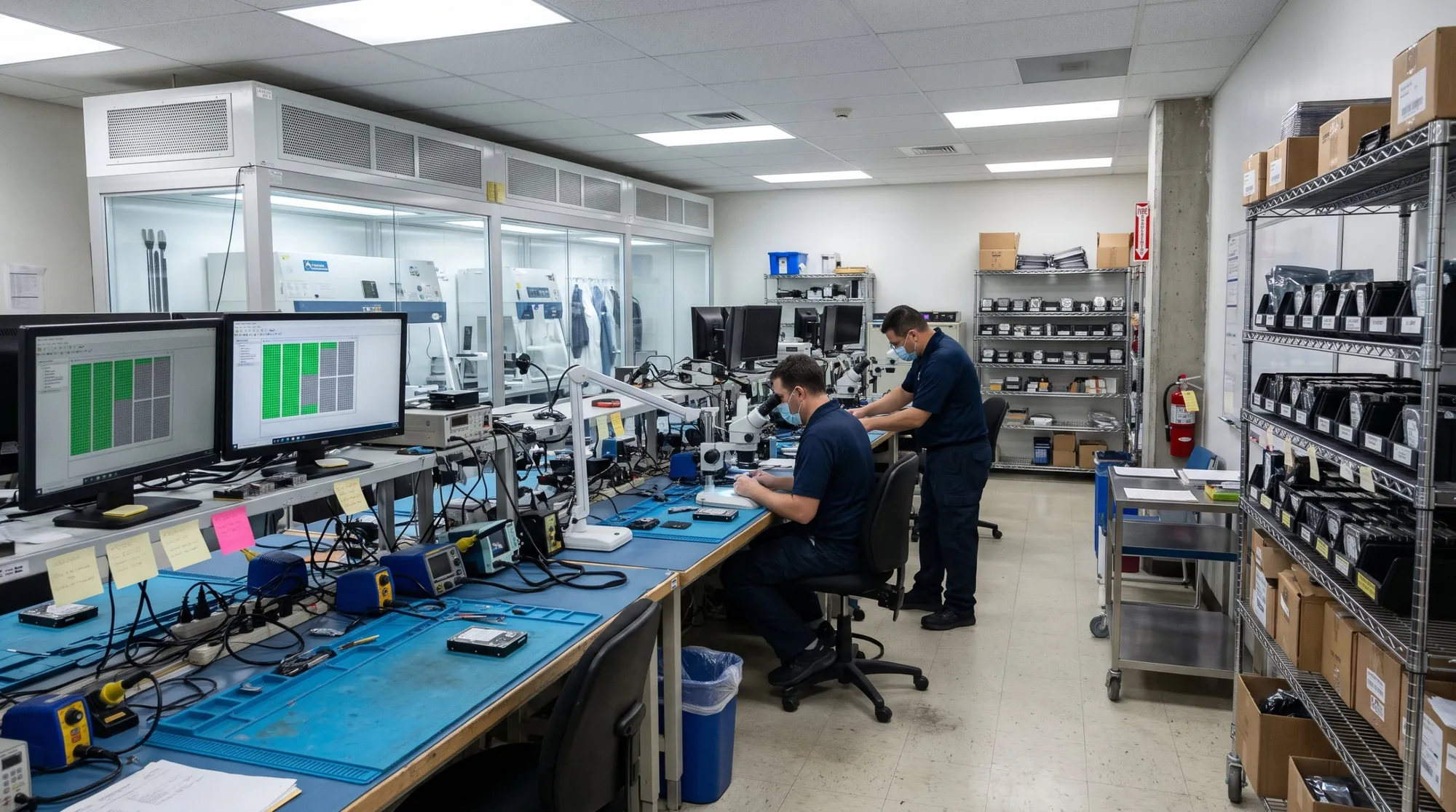
The Disk Doctors lab: clean hoods along the wall, engineers at microscope benches
Our lab in Columbia, MD

Related: RAID recovery · Server & virtual machine recovery · Hard drive recovery · What affects the cost

Get a free evaluation

Tell us what failed. We reply within one business day, and you get a fixed quote before any paid work. No data, no charge.

Call (410) 937-7332Free Evaluation